

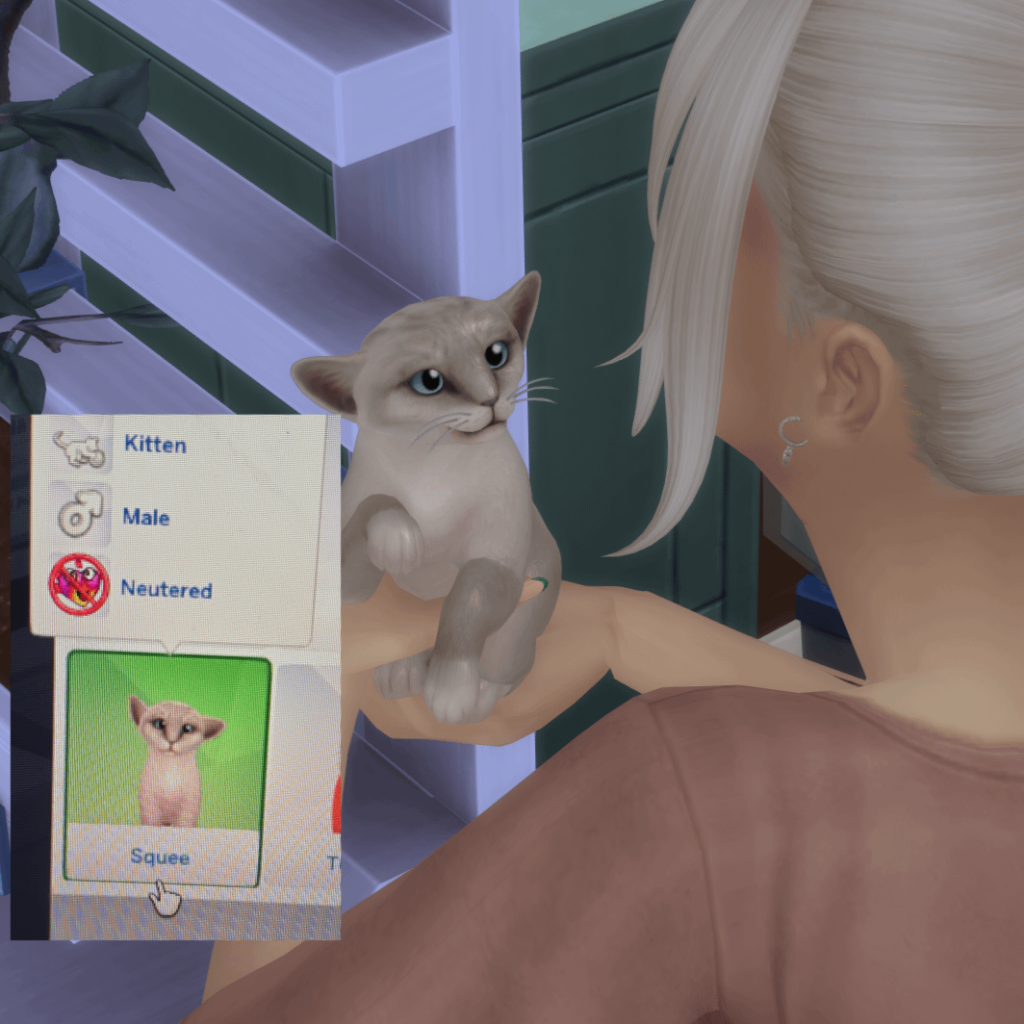
Are you ready to bring a furry friend into your Sims 4 game? Adopting a cat can add fun, companionship, and a whole new level of excitement to your virtual life.
But how exactly do you adopt a cat in Sims 4? If you’ve been wondering about the easiest and quickest way to welcome a playful kitten or a calm cat into your home, you’re in the right place. This guide will walk you through every step, making sure you don’t miss a thing.
By the end, you’ll be caring for your new pet like a pro. Keep reading, and let’s get that purring buddy into your game!
Credit: sims.fandom.com
Getting Started With Cats In Sims 4
Getting started with cats in Sims 4 is simple and fun. Cats add life and charm to your Sims’ home. Before adopting, you need to know a few basics. This helps you create the best experience for your Sims and their new pets. Follow these tips to begin your journey with cats in the game.
Requirements For Cat Adoption
To adopt a cat, your Sim must meet some key requirements. First, your Sim needs a house or apartment. Pets need space to live and play. Your Sim also needs enough money to buy pet supplies. Food, toys, and beds are important. Finally, make sure your Sim has time to care for the cat. Pets need attention and love to be happy.
Choosing The Right Expansion Packs
Cats are not included in the base Sims 4 game. You need specific expansion packs to add pets. The most important one is “The Sims 4: Cats & Dogs”. This pack lets you adopt, customize, and care for cats. It also adds new careers and vet clinics. Other packs may add items or gameplay features, but this one is essential for cats. Check your game library to see if you have it installed. Without it, adopting cats is not possible.

Credit: www.youtube.com
Finding Cats To Adopt
Finding the perfect cat to adopt in Sims 4 can be an exciting part of your gameplay. You have several options that let you discover cats with unique personalities and traits that fit your Sim’s lifestyle. Knowing where to look helps you make the best choice quickly and enjoy your new furry friend sooner.
Using The Adoption Center
The Adoption Center is your first stop inside the game to find cats ready for a new home. Here, you can view detailed profiles of each cat, including their age, personality, and needs. You can even interact with the cats before adopting to see which one clicks with your Sim.
Think about your Sim’s daily routine and which cat would suit it best. For instance, a playful Sim might enjoy an energetic kitten, while a calm Sim could prefer a laid-back adult cat. The Adoption Center makes it easy to match these traits.
Browsing Online Listings
Your Sims can also browse online pet listings through their computers or tablets in the game. This option offers a wider range of cats from different neighborhoods, expanding your choices beyond the Adoption Center. You can filter listings by breed, age, and personality to find the ideal cat.
While browsing, pay attention to the descriptions and photos. Sometimes a shy cat might need a gentle Sim, or a curious cat might thrive with lots of playtime. Online listings give you a detailed snapshot to help you decide.
Visiting Local Shelters
Local shelters in Sims 4 provide another great place to find cats needing homes. Visiting a shelter lets your Sims interact with cats in person, which can reveal more about their behavior and temperament. It’s a hands-on way to ensure the match feels right before making a commitment.
Have you ever noticed how some cats immediately approach your Sim, while others hang back? Shelters showcase these real-time reactions, helping you pick a cat that’s a natural fit. Plus, adopting from a shelter often comes with extra perks like initial supplies or reduced fees in the game.
Adoption Process In Game
The adoption process in Sims 4 lets you bring a new furry friend into your Sim’s life. It feels real and adds warmth to your gameplay. Each step guides you through finding, choosing, and welcoming a cat to your home. Understanding the process makes adopting simple and fun.
Selecting Your Cat
Visit the adoption center in the game to see available cats. Each cat has unique traits like fur color, size, and personality. Take your time to explore their details. Pick a cat that fits your Sim’s lifestyle and preferences.
Completing The Adoption Paperwork
After choosing, your Sim must fill out adoption forms. The paperwork is straightforward and quick. It asks for basic information about your Sim and their home. This step confirms your Sim is ready to care for the cat.
Bringing Your Cat Home
Once the paperwork is done, the cat joins your household. Your Sim can interact with the cat right away. Play, feed, and bond to build a strong relationship. Your new pet will bring joy and fun to your Sims’ daily life.

Credit: www.reddit.com
Caring For Your New Cat
Caring for your new cat in Sims 4 is essential to keep them happy and healthy. Cats need love, attention, and proper care to thrive in your virtual home. Taking time to understand their needs creates a strong bond between your Sim and their pet.
Feeding And Hydration
Provide fresh food and water daily for your cat. Use the pet bowl or automated feeder to keep meals regular. Choose high-quality cat food in the game to maintain their health. Make sure water bowls are always full and clean. Proper feeding prevents hunger and keeps energy levels up.
Training And Socializing
Train your cat to improve behavior and skills. Teach simple commands like “sit” or “stay.” Play with your cat to build trust and reduce stress. Use toys such as balls or laser pointers for fun. Socializing helps your cat avoid loneliness and encourages good habits.
Health And Vet Visits
Monitor your cat’s health regularly. Watch for signs of sickness or discomfort. Schedule vet visits to keep vaccinations up to date. Treat illnesses promptly to avoid serious problems. Maintaining health ensures a longer, happier life for your virtual pet.
Customizing Your Cat
Customizing your cat in Sims 4 brings your new pet to life. It makes your cat unique and special in your virtual home. You can change the look, add cute accessories, and set their personality. This helps create a deeper bond between your Sim and their furry friend.
Changing Appearance
Start by choosing your cat’s fur pattern and color. Select the shape of their eyes, ears, and tail. Adjust their size and body shape to fit your style. These options let you create a cat that fits your Sim’s personality perfectly.
Adding Accessories
Accessories add charm and style to your cat. Pick collars with different colors and designs. Add bows or hats for a playful touch. These small details make your cat stand out and look adorable around the house.
Setting Personality Traits
Personality traits shape how your cat behaves. Choose traits like playful, shy, or curious. Each trait affects your cat’s actions and reactions. These traits create a more realistic and fun pet experience in the game.
Tips For A Happy Cat In Sims 4
Keeping a cat happy in Sims 4 requires attention and care. Cats need a safe and stimulating space to thrive. Meeting their needs helps avoid mood swings and bad behavior. Follow these tips to ensure your virtual cat lives a joyful life.
Creating A Cat-friendly Environment
Provide cozy beds and quiet spots for your cat to rest. Place litter boxes in easy-to-reach, private areas. Add scratching posts to protect your furniture. Use cat toys around the house to keep the cat curious and entertained. Make sure food and water bowls are clean and always full.
Engaging In Playtime
Spend time playing with your cat every day. Use toys like laser pointers or feather wands for interactive fun. Playtime strengthens your bond and keeps your cat active. Try different toys to see which your cat likes best. Short, frequent play sessions work better than long ones.
Managing Cat Behavior
Watch your cat’s mood and habits closely. Calm your cat if it shows signs of stress or fear. Use positive reinforcement to encourage good behavior. Avoid yelling or punishing your cat, as it causes fear. Keep your cat’s needs met to reduce unwanted actions.
Frequently Asked Questions
How Do I Adopt A Cat In Sims 4?
To adopt a cat in Sims 4, use the phone or computer to select “Adopt Pet. ” Visit the adoption center and choose your desired cat. Confirm the adoption, and the cat will join your household immediately.
Can I Customize My Adopted Cat’s Appearance?
Yes, after adoption, you can enter Create-a-Pet mode. Customize your cat’s fur, color, patterns, and accessories. Personalize traits and personality to match your gameplay style easily.
What Are The Benefits Of Adopting Cats In Sims 4?
Adopting cats adds companionship and new interactions for your Sims. Cats can boost mood, help with skills, and enhance storytelling. They bring fun and realism to your Sims’ daily life.
Are There Specific Traits For Adopted Cats?
Yes, adopted cats come with unique traits like playful or independent. These traits affect behavior and interactions. You can also train your cat to learn new tricks and habits.
Conclusion
Adopting a cat in Sims 4 is a simple and rewarding process. Just follow the steps, and soon your Sim will enjoy feline companionship. Remember, cats bring joy and fun to your virtual home. They offer unique interactions and endless entertainment.
Explore different breeds and personalities to match your Sim’s lifestyle. Make sure to care for your cat’s needs and build a strong bond. Enjoy creating heartwarming stories with your new furry friend. Ready to add a cat to your Sim’s life?
Start today and watch your household come alive with feline charm.
